
How Can We Help?
How to create a service
Procedure
Role required: admin
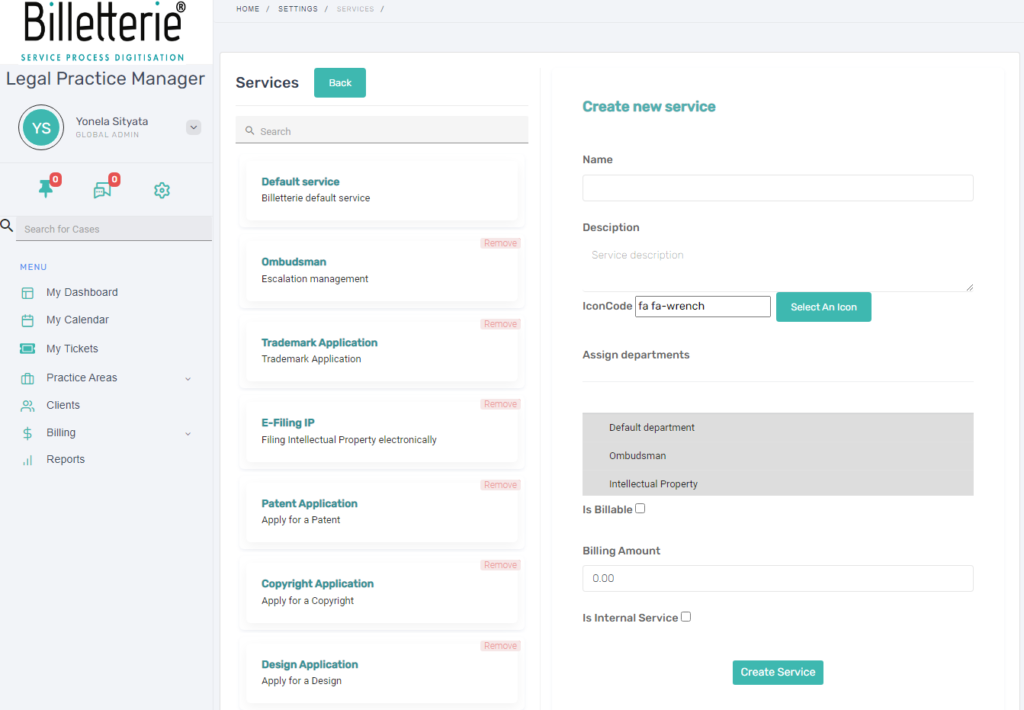
- Navigate to the Admin panel > Service
- On the service form, fill in the following fields as appropriate:
| Field | Descriptions |
| Service Name | Unique name for the service |
| Description | Description of the service |
| Icon Code | Select icon relevant to your service from the icon list |
| Assign department | List of available departments |
| SLA | List of available SLAs |
| is Billable? | A check box to indicate if the service is billable |
| Billing amount | The amount of the services |
03.Click on Create Service