

How Can We Help?
How to Update a Business Calendar
- In the Admin panel, navigate to Business Calendar
- Click on a calendar from the list of configured business calendars

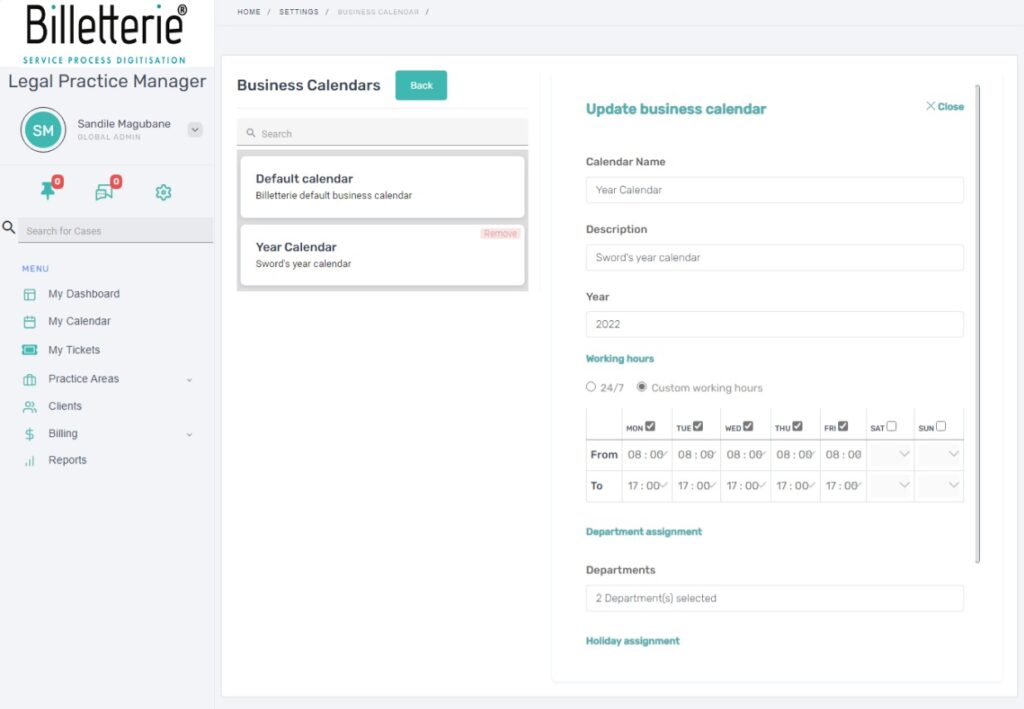
- On the department form, fill in the following fields as appropriate:
| Field | Description |
| Calendar Name | Unique name for the Calendar |
| Description | The description of the calendar |
| Year | The year of the calendar |
| Working Hours | Working hours of the calendar year |
| Departments | List of available departments |
| Holidays | List of available holidays |
- Click on the Update Business Calendar button to save changes